Intro to chatting with LLMs
Using chatlas
chatlas: an opinionated LLM framework

- One interface to many LLMs
- Streaming output
- Tool calling, MCP, etc
- Structured data extraction
- Async/non-blocking
- Evals, OTel, etc
- And more…
There are many frameworks – why chatlas?
- I’m the author :)
- Backed by Posit – a company with 15+ years of heavy investment in open source
- Open source, MIT license
- Simpler to navigate than “mega-frameworks” (e.g., LangChain, LlamaIndex, etc.)
- Similar in spirit to Pydantic AI and llm, but different focus:
- Interactive streaming “just works”
- Delightful integration with shinychat
Many providers, one interface
Many providers, one interface
Model hints
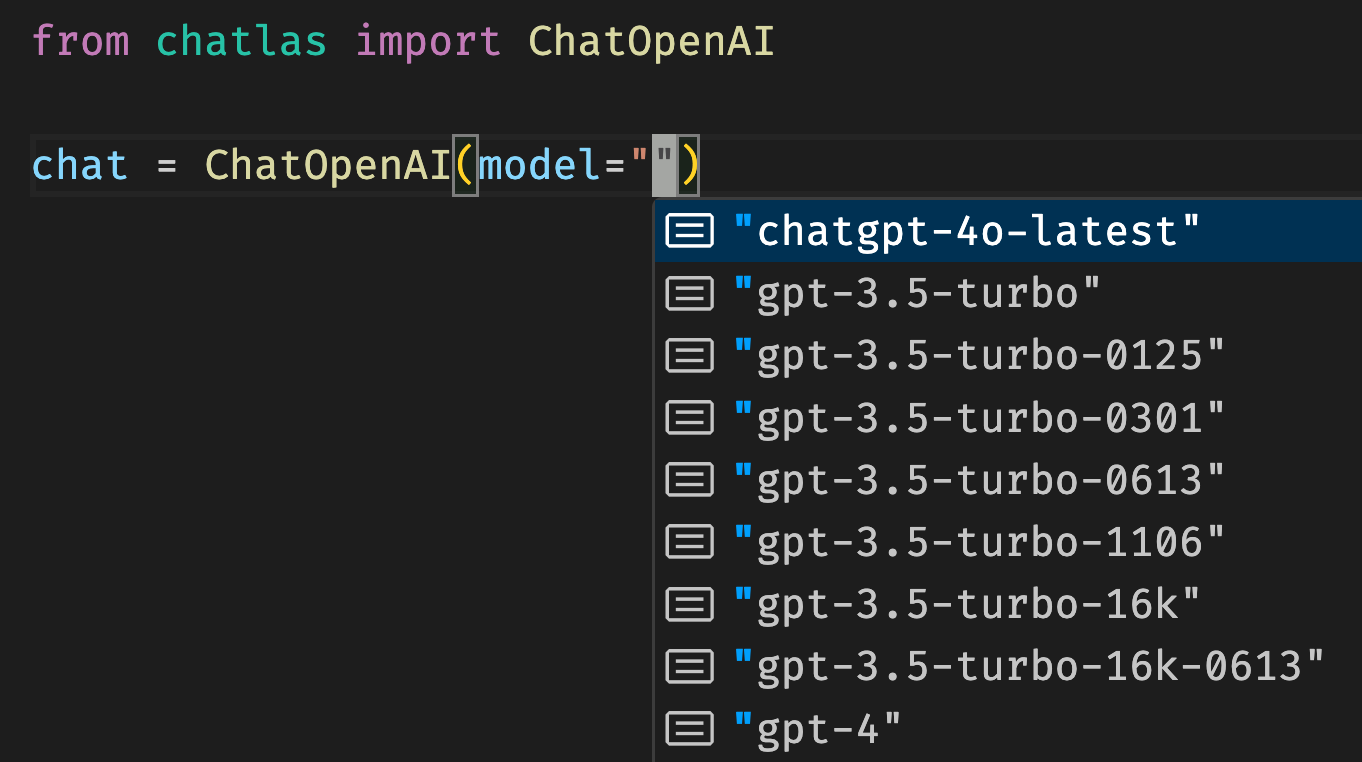
See what model IDs are available for each provider.
💡 Expressed as a single string: ChatAuto("openai/gpt-5.5").
💡 If no model is provided, a sensible default is provided.
Streaming “just works”
Multi-turn: the chat remembers
Working with chat state
Chat objects are stateful — they accumulate conversation history.
Multi-modal input
Submit input other than text, such as images, pdfs, and more.
The Python logo features two intertwined snakes in yellow and blue, representing the Python programming language. The design symbolizes…
System prompt
Behind-the-scenes information that shapes every response — invisible to the user.
What is the deal with passwords? You need a capital letter, a number, a symbol… at this point I need a degree just to log into my email.
System prompt tips
- Set the scene (e.g., “You are a dashboard chat assistant”).
- Define (un)desirable behavior (e.g., “Be concise”).
- Give examples
- Give missing context (e.g., “Today’s date: 2026-07-13”).
- Simple way to “inject” knowledge into the model without RAG or tool calling.
Chat methods
Three methods for interactive use:
.chat()— “echo” output, returns final response.console()— open dedicated Python console.app()— open dedicated web app
Two methods for programmatic use:
.stream()— returns a generator, you control output.stream_async()— async version of.stream()
Streaming, in a nutshell
Similar to .chat(), but you control where each chunk of output goes.
Hello
Chatlas.
How
can
I
help?
Exercise
- Open up
exercises/00-chat-hello.py. - Add a custom system prompt to change the model’s behavior.
- Try using
.app()– how is this similar/different from ChatGPT, etc? - Quit the app, and programmatically determine the number of turns in the conversation history.
- Go to the API reference – find the
Chatmethod for computing cost.